Pinterest is a popular platform for discovering ideas, sharing creative content, and driving traffic to websites. Whether you use Pinterest for blogging, digital marketing, or sharing your designs, technical issues can sometimes interrupt your work.
Two frustrating problems that Pinterest users may encounter are the AI-modified label appearing on pins and the invalid phone number error during login, even when entering an email address.
In this guide, we will explain both Pinterest problems, why they may occur, and the practical steps you can take to address them.
Pinterest AI Modified Label: Why Does It Appear on Pins?
What Is the AI Modified Label on Pinterest?
Pinterest may display an AI related label on certain pins when its systems identify content as AI generated or AI modified. This can concern creators who want their Pinterest designs to look professional and maintain a consistent appearance.
The label does not necessarily mean that your entire design was created using AI. Depending on the content and detection signals, Pinterest may identify images that contain AI generated or modified elements.

Why Does Pinterest Show the AI Modified Label?
There are several possible reasons why Pinterest may label an image.
AI generated images: Images created with artificial intelligence may be identified as AI-generated content.
AI editing tools: Images that have been modified using generative AI features may contain signals that help platforms identify them.
Image information: Some image files contain metadata or content credentials that describe how they were created or edited.
Pinterest detection systems: Pinterest may use its own systems to identify AI generated or modified content.
The exact reason for a particular label may not always be visible to the creator.
How to Edit Pinterest Pins in Canva
Canva provides several tools that help you create clean, professional Pinterest pins using frames, text, shapes, and other design elements.
Follow these steps to edit your pin.
Step 1: Open Canva
Visit Canva and select a Pinterest pin template or create a custom poster using the appropriate dimensions.
Step 2: Select a Frame
Open the Elements section and search for frames. Choose a frame that suits your design and place it on your canvas.
Step 3: Add Your Image and Design Elements
Place your image inside the frame. Add relevant text, borders, shapes, or other design elements to complete your poster.
Step 4: Download and Upload Your Pin
Download your finished design and upload it to Pinterest. Preview the image before publishing to make sure everything looks correct.
Important: Adding a frame or editing an image in Canva does not guarantee that the AI Modified label will disappear. Pinterest may still identify AI generated or modified content. Always represent your content accurately and follow Pinterest’s policies.
Pinterest Login Problem: Invalid Phone Number Error
What Is the Invalid Phone Number Error?
Another frustrating Pinterest issue occurs when a user gets logged out of their account and cannot sign in again.
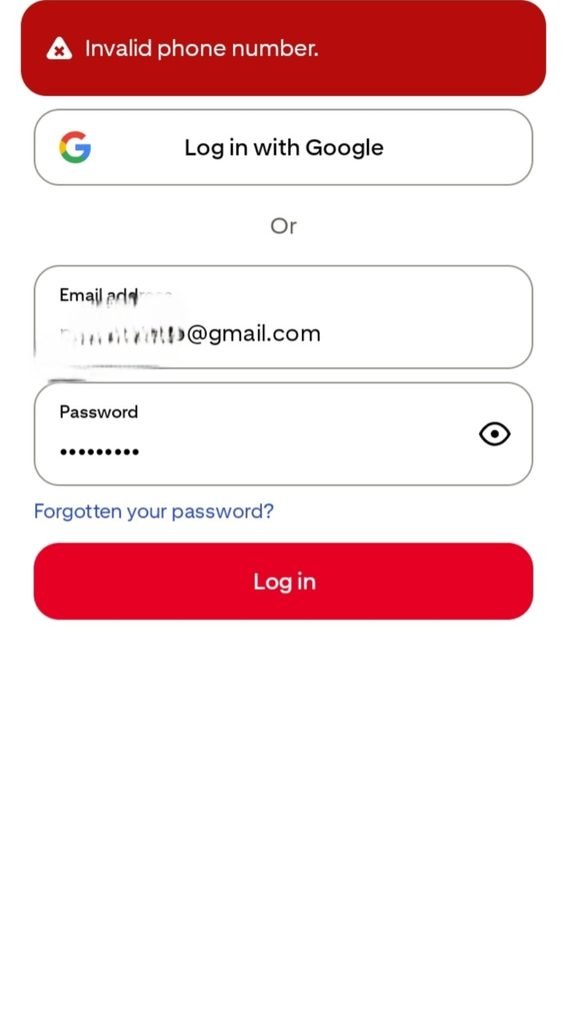
The confusing part is that the login form asks for an email address, but Pinterest displays an error saying “Invalid phone number.”
The user may be entering the correct email address, yet the platform continues to show an error related to a phone number that was never requested in the login form.
This unexpected message can make it difficult to understand what went wrong or how to recover access to the account.
Why Does Pinterest Show This Error When Using Email?
The exact cause of this error cannot be determined from the message alone. It may involve an account verification issue, a login system problem, or another issue that requires investigation by Pinterest Support.
The exact cause of this error cannot be determined from the message alone. It may involve an account verification issue, a login system problem, or another issue that requires investigation by Pinterest Support.
If the login form asks for an email address but displays an invalid phone number error, it is important to distinguish between an incorrect login detail and a possible technical or account-related problem.
How to Fix the Pinterest Invalid Phone Number Proble
Step 1: Check Your Email Address
Make sure you are using the email address associated with your Pinterest account. Check for spelling mistakes and ensure you are using the correct login option.
Step 2: Try Account Recovery
If you cannot access your account, use Pinterest’s official password recovery option and follow the instructions provided.
Step 3: Contact Pinterest Support
If the error continues even when you enter your email address correctly, visit the official Pinterest Help Center:
Explain that you are entering an email address but receiving an invalid phone number error, even though the login form does not ask for a phone number.
Step 4: Send a Clear Support Request
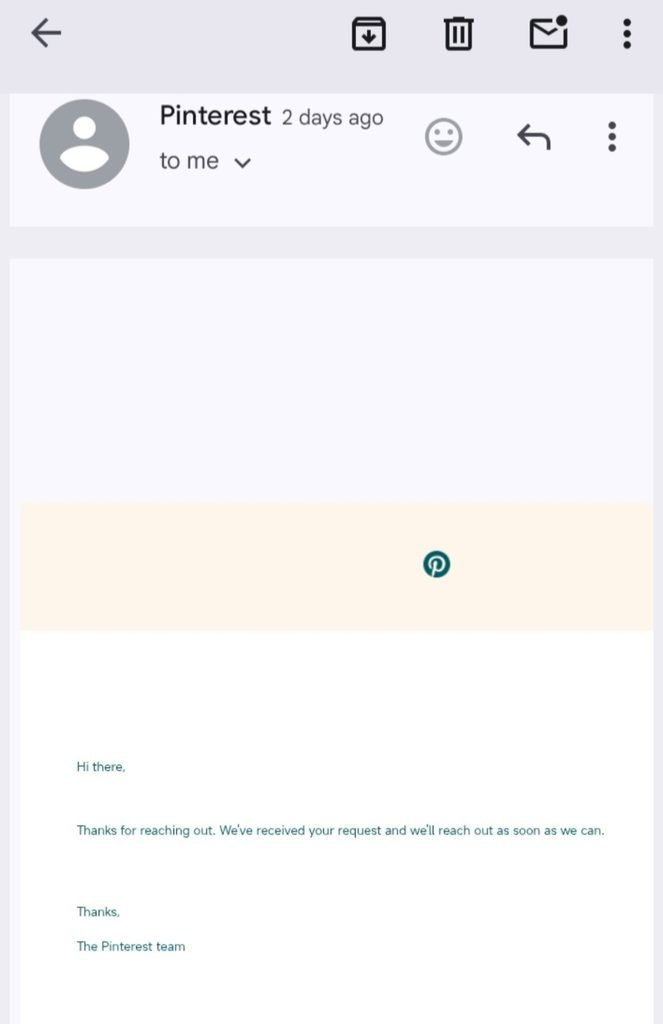
Describe the problem in detail and attach a screenshot of the error if possible. This can help the support team understand the mismatch between the login field and the error message.
Step 5: Follow Up on Your Request
If the issue remains unresolved, follow up through the available official support channels. Depending on the issue, Pinterest Support may need to investigate your account or provide further recovery instructions.
My Experience With the Pinterest Login Error
I also experienced this confusing Pinterest login problem. After being logged out of my account, I tried to sign in using my email address. Instead of allowing me to log in, Pinterest displayed an “Invalid phone number” error.
The confusing part was that I was entering an email address, and there was no phone number field in the login form.
To resolve the issue, I contacted Pinterest Support through the Help Center, sent messages, and emailed them to explain the problem. After contacting support and following up, the issue was eventually resolved.
This experience shows that when an error message does not match the information requested by a login form, repeatedly entering the same information may not solve the problem. Contacting official support and clearly explaining the issue can be a more practical next step.
Email Template for Pinterest Login Support
If you encounter the same issue, you can use the following message as a starting point.
Subject: Pinterest Login Issue: Invalid Phone Number Error
Hello Pinterest Support Team,
I am unable to access my Pinterest account after being logged out.
When I try to log in using my registered email address, I receive an “Invalid phone number” error. However, the login form asks for my email address and does not provide a phone number field.
I have checked my login details, but the issue continues.
Could you please investigate this issue and help me regain access to my account?
I can provide a screenshot of the error and any information required to verify account ownership through your official support process.
Thank you for your assistance.
Best regards
Pinterest AI Modified Label vs Invalid Phone Number Error
Both problems can be frustrating, but they affect different parts of the Pinterest experience. One concerns the appearance and classification of your pins, while the other prevents you from accessing your account.
| Feature | AI Modified Label | Invalid Phone Number Error |
| Main problem | AI related label on a pin | Unable to log in |
| Where it occurs | Pin publishing and content display | Account login |
| Possible reason | AI detection or image information | Login or account verification issue |
| Recommended action | Review the image and edit the design appropriately | Check login details and contact support |
| Guaranteed fix | No guaranteed label removal method | Resolution depends on the cause |
Understanding this difference helps you choose the right troubleshooting method instead of wasting time on steps that may not address the actual issue.
Frequently Asked Questions
Can Canva frames remove the AI-modified label on Pinterest?
No. Adding a frame in Canva does not guarantee that Pinterest will remove the label. The platform may still identify AI generated or modified content.
Why does Pinterest say invalid phone number when I enter my email?
The error may be related to a login or account verification problem. The exact cause cannot be confirmed from the error message alone.
What should I do if Pinterest keeps showing the invalid phone number error?
Check your email address, try the official account recovery process, and contact Pinterest Support if the issue continues.
Can Pinterest Support help me recover my account?
Pinterest Support may be able to investigate account access problems and provide recovery instructions. You should use the official Help Center and follow its verification process.
Are these two Pinterest problems related?
Not necessarily. The AI Modified label concerns content identification, whereas the invalid phone number error concerns account access. They should be handled as separate issues.
Final Thoughts
Pinterest is useful for content creators, bloggers, and businesses, but unexpected problems can interrupt the experience.
If your pins display an AI Modified label, review your content and use Canva to create polished designs while understanding that the label cannot be reliably removed through framing alone.
If Pinterest displays an invalid phone number error while you are entering your email address, check your login details and try the official recovery process. If the error persists, contact Pinterest Support and explain exactly what is happening.
By understanding these two common Pinterest problems and following the appropriate steps, you can make troubleshooting easier and spend more time creating and sharing useful content.