If you have ever used an AI tool for research and later discovered that some of its facts were incorrect, you already understand the importance of reliable information.
Perplexity AI makes online research easier by searching the web and generating answers with clickable source citations. Instead of opening dozens of websites manually, you can explore a topic, compare information, and find relevant sources in one place.
In this beginner-friendly guide, you will learn how to use Perplexity AI for research, studying, writing, fact checking, and professional work in 2026.
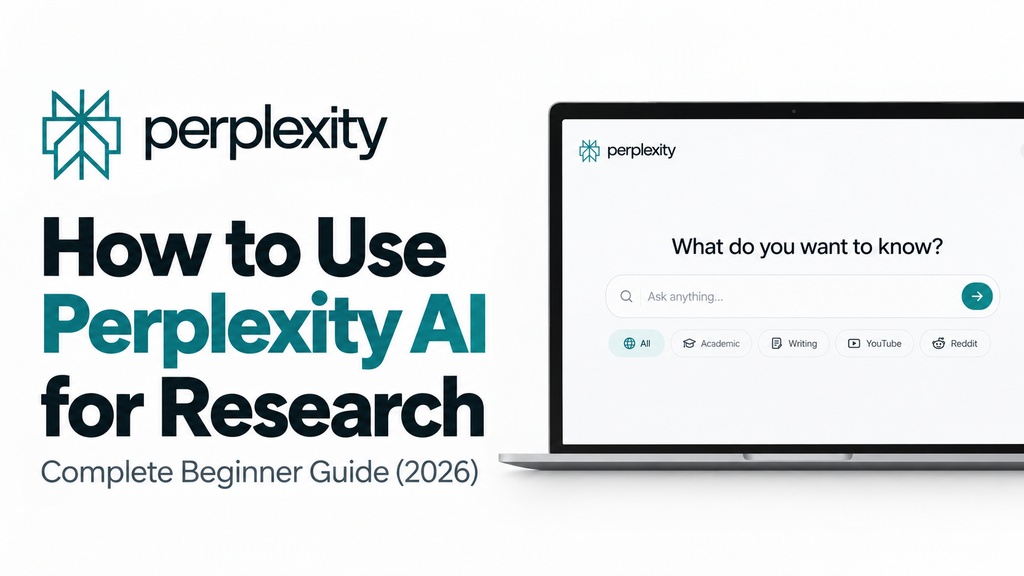
What Is Perplexity AI?
Perplexity AI is an AI powered answer engine that combines web search with artificial intelligence. It gathers information from online sources and generates a summarized answer with citations that help you verify the information.
Unlike traditional search engines that primarily display a list of links, Perplexity organizes relevant information into a conversational answer.
Its main features include:
- Real time web search to discover current information.
- Source citations that let you check where information comes from.
- Follow up questions to explore a topic in greater depth.
- Research focused features for finding academic papers and analyzing complex subjects.
- File analysis and other tools, depending on your plan and available features.
Perplexity can be useful for students, bloggers, researchers, journalists, and professionals who need information from online sources. However, its answers are not guaranteed to be accurate, so important facts should always be verified.
How to Get Started With Perplexity AI
Getting started with Perplexity is simple. You do not need to install desktop software to use its website.
Follow these steps:
- Visit the official website at perplexity.ai.
- Create an account if required for the feature you want to use.
- Enter your research question in the search box.
- Review the generated answer and its citations.
- Open relevant sources to confirm the information.
- Ask follow up questions to explore the topic further.
For example, instead of searching separately for different climate change studies, you can ask Perplexity to summarize recent research and provide links to the original sources.
Understanding the Perplexity AI Interface
When you submit a question, Perplexity presents an answer supported by information from relevant sources.
Here are the main elements you should understand.
Answer: The main response generated by the AI after gathering relevant information.
Sources: Links or numbered citations that help you locate the original webpages, reports, or research papers.
Related questions: Suggested questions that help you investigate the topic further.
Search and research options: Depending on the current interface and your plan, you may find options for choosing research approaches, models, or specialized search experiences.
The exact interface can change over time, so some options may appear differently depending on your account, device, and subscription.
How to Use Perplexity AI Focus Modes
Perplexity has offered specialized search experiences for different types of research. Their availability and names may change as the platform evolves.
Choose a research approach that matches your objective rather than using the same method for every question.
| Research need | Recommended approach |
| General information | Standard web search |
| Academic studies | Academic sources and scholarly search |
| Product opinions | Reddit discussions and user reviews |
| Video research | YouTube search, where available |
| Content planning | Web research followed by outlining and writing |
| Complex topics | Deeper research features, where available |
For example, if you are preparing a literature review, prioritize peer reviewed studies and academic publications. If you want to understand customer experiences with a product, community discussions and independent reviews may be more useful.
Important: Finding a paper through an academic search does not automatically mean the paper is peer reviewed. Check the publication, authors, methodology, and original research before relying on its conclusions.
How to Ask Better Research Questions
The quality of your research often depends on how clearly you explain what you want to discover.
A broad question may produce a general answer, while a specific question can help you find more relevant evidence.
Weak prompt:
Tell me about climate change.
Better prompt:
Identify three evidence-based strategies for reducing household carbon emissions. Use recent scientific studies where available, explain the evidence behind each strategy, and provide citations to the original sources.
You can also use these research prompts.
For recent research:
Summarize important studies published during the past 12 months about [any topic]. Include publication dates, key findings, limitations, and links to original sources.
For comparing opinions:
Compare the main arguments for and against [topic]. Identify areas of agreement, disagreements between experts, and evidence supporting each position.
For fact checking:
Investigate the following claim: [insert claim]. Find reliable evidence supporting and challenging it, prioritize original sources, and explain whether the available evidence supports the claim.
For industry research:
Analyze recent developments in [industry]. Identify major trends, supporting statistics, expert opinions, and potential implications for businesses.
These prompts encourage more useful answers because they specify the topic, evidence requirements, and expected output.
How to Organize Your Research With Perplexity
When researching a complicated subject, collecting answers is only the first step. You also need to organize your findings so you can use them later.
Perplexity has offered features for turning research into organized, shareable content. Availability and naming may change, so check the current interface for supported options.
A practical research workflow looks like this:
Step 1: Define your research question.
Decide exactly what you need to understand or investigate.
Step 2: Collect relevant sources.
Use Perplexity to find articles, official reports, studies, and other credible material.
Step 3: Compare the evidence.
Look for agreements, disagreements, missing information, and differences in methodology.
Step 4: Save important findings.
Keep the source links, publication dates, statistics, and useful notes together.
Step 5: Prepare your final document.
Organize your findings into an outline, report, study notes, or article. Cite the original sources appropriately.
This process is especially useful for students preparing assignments, bloggers writing informative articles, and professionals preparing reports.
Is Perplexity Pro Worth It?
Perplexity offers free access as well as paid subscription options. The exact pricing, usage limits, available models, and premium features can change, so check the official pricing page before subscribing.
You can review the current plans at Perplexity’s official website.
A paid plan may be useful if you frequently conduct complex research, analyze files, or need higher usage limits and additional models.
However, beginners should start with the free plan and determine whether its available features meet their needs before paying for a subscription.
Best Ways to Use Perplexity AI for Research
Academic Research
Students and researchers can use Perplexity to discover relevant papers, explore unfamiliar concepts, and summarize research findings.
Ask it to identify the main findings, research methods, limitations, and unanswered questions in a study. Then open the original paper to verify its conclusions.
Use the original publications when preparing academic references, and follow your institution’s rules on AI assistance.
Fact Checking
Perplexity can help investigate claims circulating on social media, websites, or news platforms.
Enter the claim and ask for evidence supporting and challenging it. Give priority to primary sources, official documents, original datasets, and reputable research organizations.
Do not assume a claim is true simply because the answer contains citations.
Competitive Research
Business owners can use Perplexity to investigate competitors, identify industry developments, and understand customer needs.
For example, ask it to compare the publicly available features, pricing, and positioning of competing products. Verify prices and product details on the companies’ official websites.
Staying Updated With Industry News
Perplexity can help you discover recent developments in technology, business, education, and other fields.
Ask for important developments within a defined period, such as the past seven days. Check publication dates carefully because a recently displayed webpage may contain older information.
Writing and Blogging
Bloggers can use Perplexity to research topics, collect statistics, find expert sources, and develop article outlines.
For SEO content, a useful workflow is to research the topic, verify the evidence, identify the questions readers want answered, and then write an original article.
Avoid publishing AI generated text without checking its factual accuracy, originality, and usefulness to readers.
Perplexity AI vs ChatGPT for Research
Both tools can help with research, but their strengths depend on the task, available features, and the way you use them.
| Feature | Perplexity AI | ChatGPT |
| Web research | Designed around sourced web answers | Web search and research tools are available |
| Source verification | Clickable citations are a central feature | Sources are provided when supported by the selected tool |
| Complex analysis | Useful for gathering and synthesizing web information | Useful for analysis, synthesis, and structured reasoning |
| Writing assistance | Useful for gathering background information | Useful for outlining, drafting, and editing |
| Best use | Finding and checking information quickly | Research, analysis, and developing finished content |
For many research tasks, you can use both tools together. Start with Perplexity to discover sources, then use ChatGPT to help compare findings, organize evidence, and develop a structured report.
Neither tool guarantees that every answer is correct. Always verify important claims against the original sources.
Common Mistakes Beginners Should Avoid
Ignoring citations: A citation is useful only if it supports the claim being made. Open the source and check the relevant passage.
Using overly broad prompts: Specify the topic, time period, type of evidence, and the information you want returned.
Trusting every source: Search results can include outdated articles, weak research, biased opinions, and misleading information.
Ignoring publication dates: For current research, make sure the source is recent enough for your question.
Confusing summaries with original evidence: An AI summary is not a substitute for reading the original study when the details matter.
Copying answers without verification: Check facts, rewrite material in your own words, and provide appropriate references.
Stopping after one search: Ask follow up questions, investigate conflicting findings, and look for missing evidence before reaching a conclusion.
Frequently Asked Questions
Is Perplexity AI free to use?
Perplexity offers a free plan with access to research features, subject to current usage limits. Paid subscriptions provide additional capabilities and higher limits, depending on the plan.
Is Perplexity better than ChatGPT for research?
Perplexity is useful for finding web based information with citations. ChatGPT is useful for analysis, writing, and complex research workflows. The better option depends on your research objective, and both can complement each other.
Can I trust Perplexity AI’s sources?
Perplexity makes source verification easier by providing citations, but it can still produce inaccurate summaries or cite sources that do not fully support a claim. Verify important information directly.
Does Perplexity AI have a mobile app?
Yes. Perplexity offers mobile apps for iOS and Android, in addition to its website. Check the official website or your device’s app store for the current options.
Can students use Perplexity for academic papers?
Students can use it to discover research, understand unfamiliar topics, and organize notes. They should verify original publications, cite sources properly, and follow their institution’s academic integrity policies.
How can I reduce AI hallucinations when using Perplexity?
Use specific prompts, request primary sources, open the citations, compare independent sources, and check important statistics against the original documents. These steps reduce risk but cannot eliminate errors completely.
Can Perplexity AI write blog articles?
It can help with research, outlines, summaries, and drafting. For high quality blog content, verify claims, add original analysis, and make sure the finished article meets readers’ needs.
Final Thoughts
Learning how to use Perplexity AI for research can make your workflow faster and more organized. It helps you discover information, explore different perspectives, and access sources without manually searching through numerous webpages.
To get the most out of Perplexity, develop three habits:
- Ask specific questions that define exactly what you need.
- Verify citations instead of accepting every answer at face value.
- Investigate further whenever evidence is incomplete or sources disagree.
Use Perplexity as a research assistant rather than an unquestionable authority. Combining AI assistance with critical thinking and source verification will help you produce more reliable research in 2026.