AI coding tools are changing the way software is developed. Instead of writing every line of code manually, developers can describe a task in natural language and use an AI coding agent to work with their project.
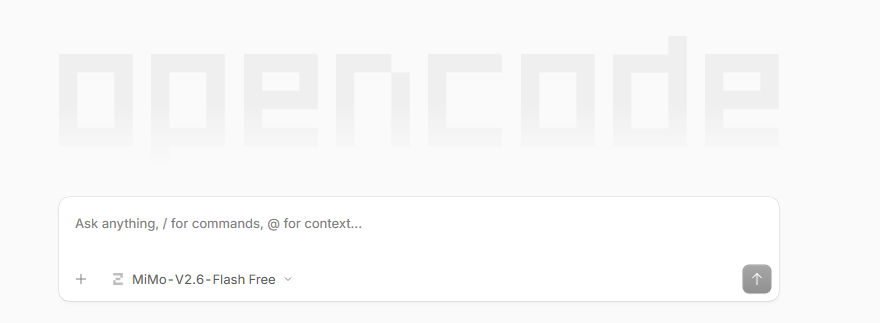
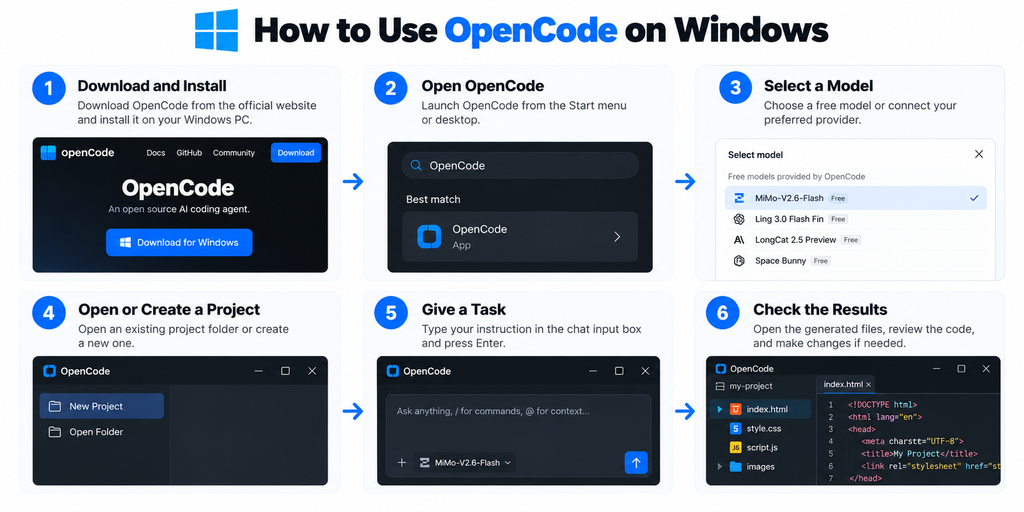
OpenCode is an open-source, model-agnostic AI coding agent that connects AI models with a development environment. It can work with project files, terminal commands, development tools, and coding workflows.
For example, you can give OpenCode an instruction such as
Create a responsive portfolio website using HTML, CSS, and JavaScript.
OpenCode can then work with the project files and help create the requested website.
You do not need to create a separate AI agent yourself. OpenCode already provides the coding agent workflow.
Source Disclaimer
This article is based primarily on the provided OpenCode source materials, including published guides and reference articles used for this research.
This guide explains what OpenCode is, how it works, what you can build with it, its key features, supported AI providers, installation, practical usage, pricing, security considerations, comparisons, and a beginner project.
What Is OpenCode?
OpenCode is an open-source coding agent designed to help developers work on software projects.
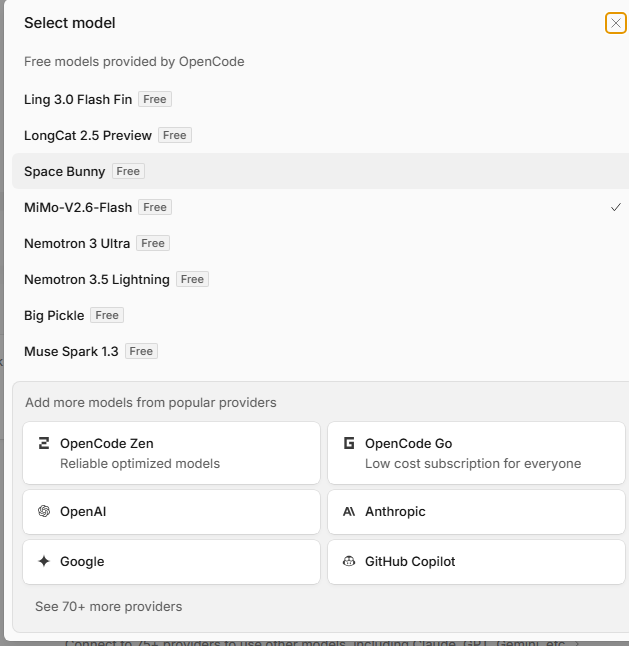
It is model agnostic, meaning it is designed to work with different AI models and providers instead of being tied to one model.
OpenCode itself is not an AI model such as GPT, Claude, or Gemini. It provides the development environment and tools through which an AI model can interact with a project.
This makes it possible to use natural language for tasks such as creating features, changing existing code, debugging problems, and working through development tasks.
What Can You Build With OpenCode?
OpenCode can be used for both small projects and larger software development tasks.
Websites
You can ask it to create websites using technologies such as HTML, CSS, JavaScript, React, and other supported technologies.
A prompt could be:
Create a modern responsive portfolio website with a navigation bar, hero section, projects section, contact section, and footer.
You can then continue giving instructions to modify the design or functionality.
Web Tools
OpenCode can help create browser-based tools such as
• Image compressors • Image converters • Prompt generators • Calculators • Word counters • JSON formatters • Unit converters • Text formatting tools
For example:
Build an image compression tool that allows users to upload an image, choose compression settings, preview the result, and download the compressed file.
After completing a small project, you can experiment with:
Portfolio Website
Create a personal website containing your skills, projects, services, and contact information.
Calculator
Build a responsive calculator with HTML, CSS, and JavaScript.
Expense Tracker
Create an application for recording and categorizing expenses.
Image Compressor
Build a browser-based tool for compressing and downloading images.
Prompt Generator
Create a tool that generates AI prompts from user input.
Blog Website
Build a blog interface with posts, categories, search, and responsive layouts.
Admin Dashboard
Create a dashboard containing statistics, tables, charts, navigation, and settings.
Is OpenCode Free?
The OpenCode software itself is open source and free to use according to the provided sources.
However, the AI model or provider can have separate costs.
There are two different things to consider:
OpenCode Software
The OpenCode software is open source.
AI Model Costs
A hosted provider may require an API account, subscription, or usage-based payment.
A local model may avoid external API charges, but running it requires suitable computer hardware.
Is OpenCode Safe?
The level of risk depends partly on the permissions and tools available to the coding agent.
Depending on its configuration, OpenCode may be able to:
• Read project files • Modify files • Run commands • Access development tools • Work with external services
Review important changes before accepting them.
Extra care is appropriate when working with:
• Production systems • Private repositories • API keys • Databases • Authentication systems • Financial applications
Do not unnecessarily expose passwords, private keys, or other sensitive credentials.
Can OpenCode Run Locally?
Yes. OpenCode can work with local AI models through tools such as Ollama and LM Studio.
A local setup can provide greater control over where code and prompts are processed.
However, local model use does not automatically mean that every part of the development environment is isolated.
You should understand the model and configuration you are using.
Hardware requirements can also vary considerably between models.
OpenCode vs. Claude Code vs. Cursor vs. Cline
These tools provide different approaches to AI-assisted software development.
Feature
OpenCode
Claude Code
Cursor
Cline
Open source
Yes.
No
No
Yes.
Model flexibility
High
More focused
Multiple models
Multiple models
Terminal workflow
Yes.
Yes.
Available
Available
Local models
Supported
More limited
Depends on setup
Supported
IDE experience
Terminal and integrations
Terminal-focusededTerminal-focused
IDE-focused
IDE-focused
Git workflow
Supported
Supported
Supported
Supported
MCP
Supported
Supported
Supported
Supported
The main differences involve their interfaces, architecture, model ecosystems, and development workflows.
Who Should Use OpenCode?
OpenCode can be useful for:
• Web developers • Software developers • Programming students • Developers working with large codebases • Developers interested in local AI • Developers who want model flexibility • Developers interested in open-source coding tools
Beginners can also use it for small projects. Basic programming knowledge is useful because it allows you to understand, test, and review generated code.
How to Get Better Results From OpenCode
Good instructions give the AI coding agent useful context.
Instead of:
Fix my website.
Describe the problem:
The mobile navigation menu does not open when the menu button is clicked.
Inspect the HTML, CSS, and JavaScript.
Find the cause.
Fix only the navigation problem.
Do not change the desktop layout.
Then explain what you changed.
For larger applications, divide the work into smaller tasks.
A useful workflow is
Plan → Build → Test → Review → Fix → Improve
Frequently Asked Questions
Does OpenCode require an API key?
The requirement depends on the AI provider and model you choose. Some providers require credentials or account configuration. And some are free.
Can OpenCode edit an existing Git repository?
Yes. It can work with existing project files and Git-based development workflows.
Does OpenCode work without an internet connection?
A local model setup can allow coding work without relying on a hosted AI provider, but the exact offline experience depends on the model and configuration.
Can OpenCode be used for learning programming?
Yes. You can ask it to explain generated code, project structure, errors, and individual programming concepts.
Can OpenCode generate code in different programming languages?
Its language support depends on the AI model and development environment being used. The coding agent can work with many common programming languages and frameworks.
Does OpenCode replace a programmer?
No. It is a development tool that assists with coding tasks. Developers still need to review, test, and maintain the resulting software.
Can OpenCode work with VS Code?
The provided sources describe VS Code-related integrations and options for working with OpenCode.
What is the difference between plan mode and build mode?
Plan mode is intended for analyzing and planning a task, while Build mode is intended for carrying out development work.
What is LSP used for in OpenCode?
LSP provides language-specific information and diagnostics that can help the coding agent understand and work with source code.
What is the purpose of/undoand/redo?
These commands are described in the provided sources as part of OpenCode’s workflow for moving backward or forward through changes.
Can OpenCode create a complete application from one prompt?
It can generate substantial parts of an application from a detailed prompt, but larger projects generally require testing, review, corrections, and additional instructions.
What is the best project to start with in OpenCode?
A small project such as a to-do list, calculator, portfolio, or simple browser tool provides a manageable way to learn the workflow.
Conclusion
OpenCode provides an open-source approach to AI-assisted software development. Its model-agnostic design allows developers to work with different AI providers and supported models.
It can assist with websites, web tools, applications, debugging, refactoring, testing, and existing codebases.
For beginners, a small project such as a to-do list is a practical way to understand the workflow. You can start with a simple feature, test it, and gradually add more functionality.
The most important thing is to give clear instructions, provide enough project context, review generated changes, and test the final result.